Tag: doodle

  • OpenSea on a tablet device is a terrible experience.

    OpenSea on a tablet device is a terrible experience.

    Are you interested in selling art on OpenSea? At first glance, it sounds like an awesome idea. However, if you’re a tablet user, you might want to think again. First, you would have to use your wallet’s built-in browser. Then, you will notice that you cannot log in, and finally, navigation will confuse you.

    Before diving into my first-hand experience, let’s define terms that might be useful to you if you are new to the crypto-currency world.

    What is an NFT?

    NFTs (Non-Fungible Tokens) are digital tokens that can be exchanged and traded on a platform, just as you might find in a physical marketplace. These range from collectibles like virtual trading cards to art, music, and everything in between.

    Read more – OpenSea NFT Platform Review | Marketplace Tutorial (daytrading.com)

    What is an Ethereum?

    Ethereum open banking peer-to-peer cryptocurrency blockchain built with smart contracts allowing for programmable Lego blocks to be created and facilitated for finance.

    So without further ado, let’s dive into OpenSea.

    OpenSea Browser Usage

    Firstly, being successful at OpenSea will bring lots of crypto and loyal viewers. An opportunity to retire on a fancy island with a single servant Sven. The idea is a dream, but not impossible.

    As seen on the OpenSea website, some people are making 27k to 180k traded volume by selling their NFT’s.
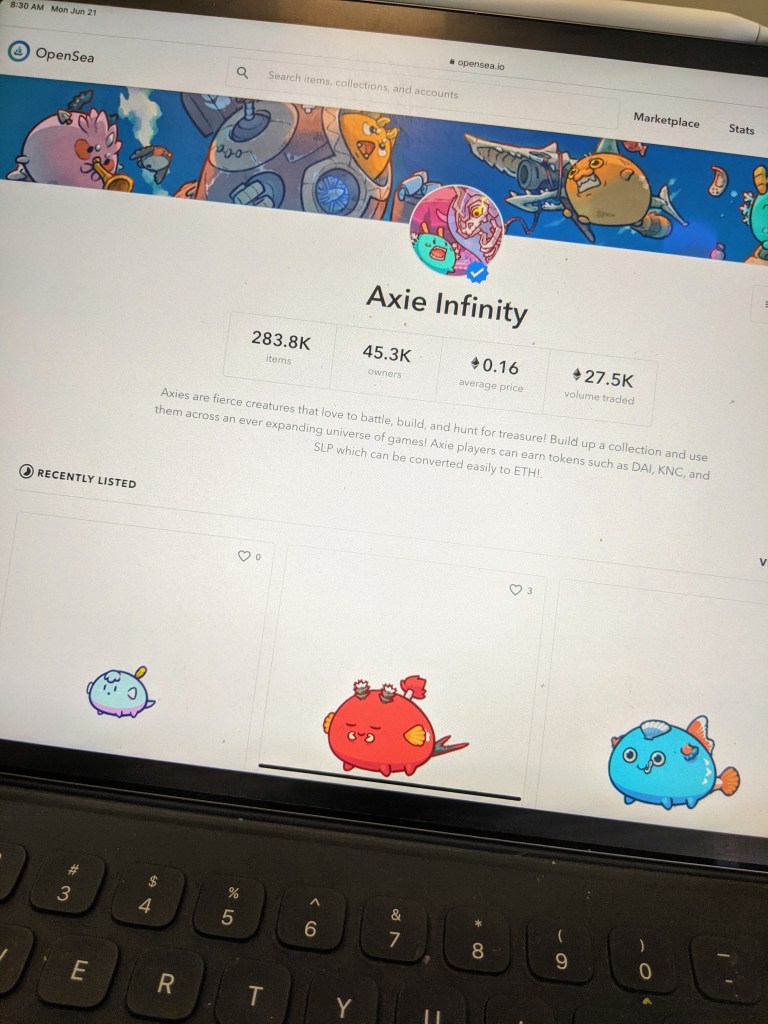
    Axie Infinity selling on OpenSea
    Axie Infinity selling on OpenSea

    27k traded in volume – Axies are fierce creatures that love to battle, build, and hunt for treasure! Build up a collection and use them across an ever-expanding universe of games! Axie players can earn tokens such as DAI, KNC, and SLP, which can be converted easily to ETH!

    https://opensea.io/collection/axie
    CryptoKitties selling on OpenSea
    CryptoKitties selling on OpenSea

    66k traded in volume – CryptoKitties is a game centered around breedable, collectible, and oh-so-adorable creatures we call CryptoKitties! Each cat is one-of-a-kind and 100% owned by you; it cannot be replicated, taken away, or destroyed.

    https://opensea.io/collection/cryptokitties
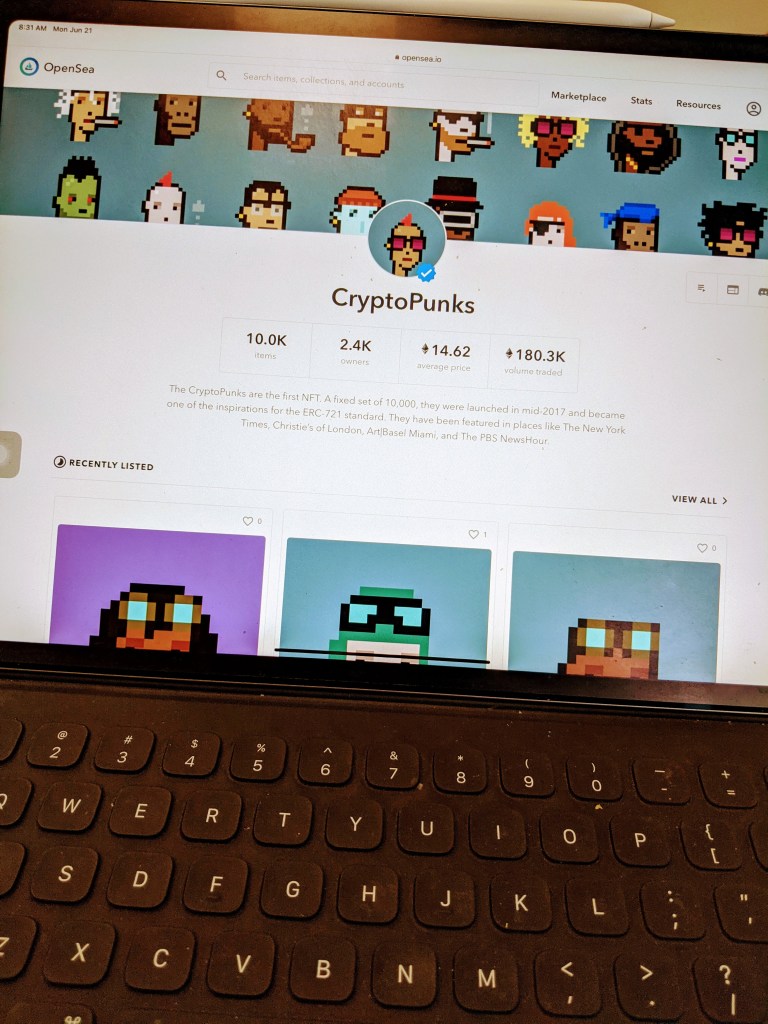
    CryptoPunks selling on OpenSea
    CryptoPunks selling on OpenSea

    180k traded in volume – The CryptoPunks are the first NFT. A fixed set of 10,000 was launched in mid-2017 and became one of the inspirations for the ERC-721 standard. They have been featured in places like The New York Times, Christie’s of London, Art|Basel Miami, and The PBS NewsHour.

    https://opensea.io/collection/cryptopunks
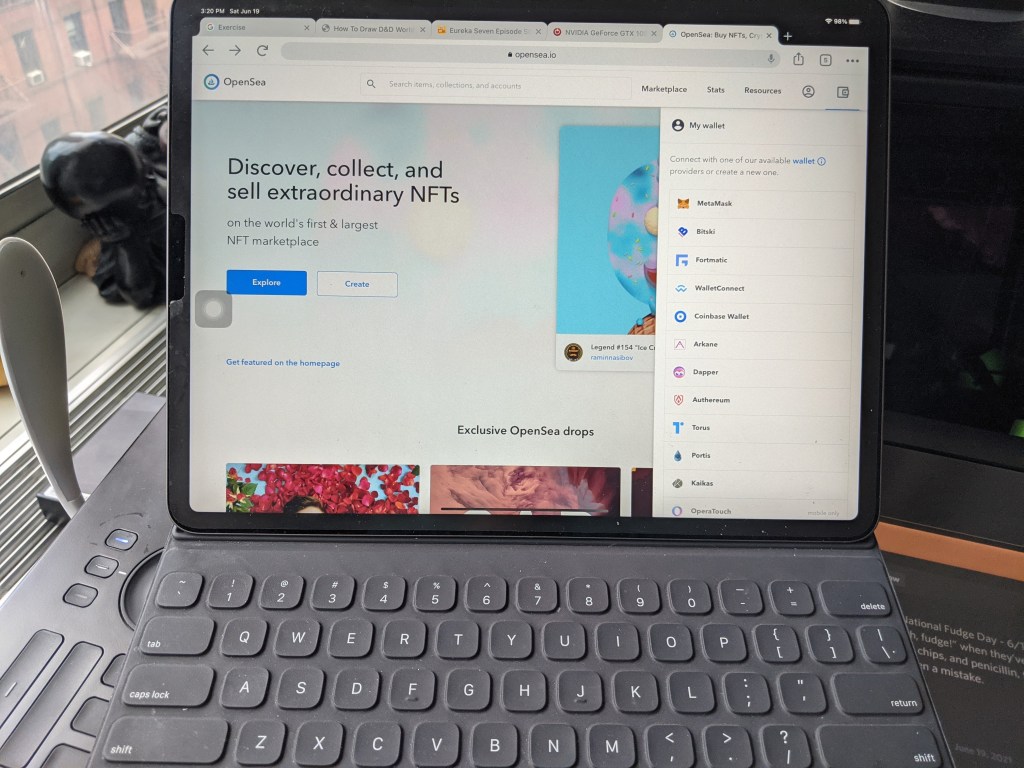
    OpenSea Website Login Issue redirects to wallet app OpenSea
    OpenSea Website Login Issue redirects to the wallet app

    Start selling your art, but be warned, using the iPad will result in hardship while using it with OpenSea. 

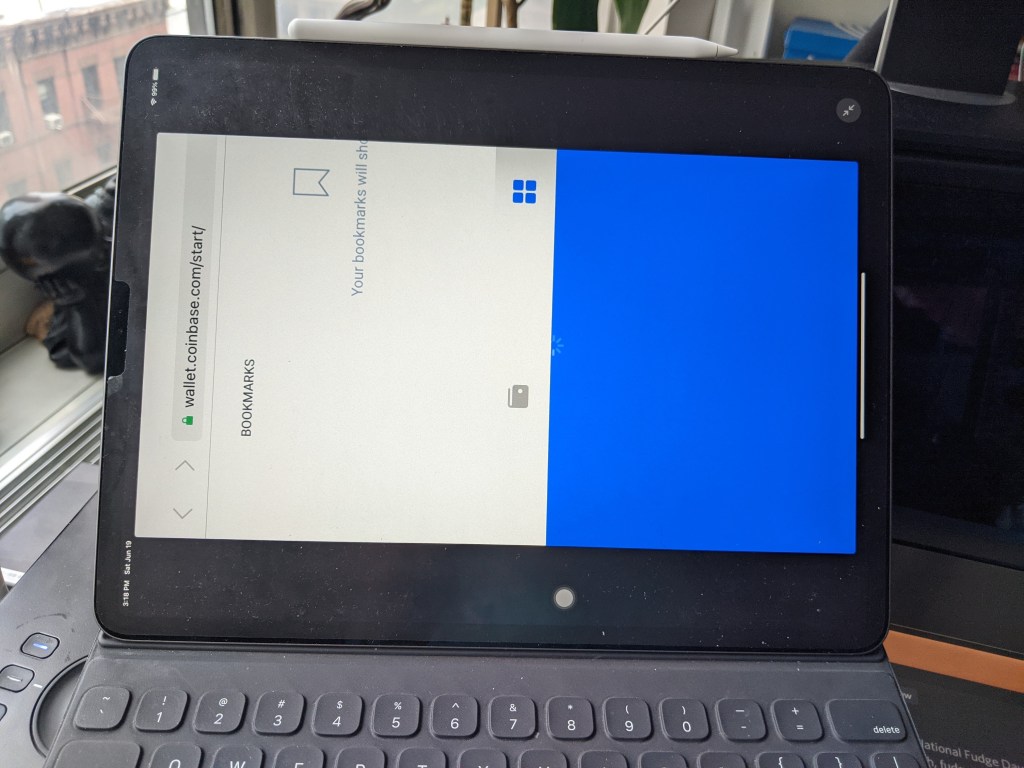
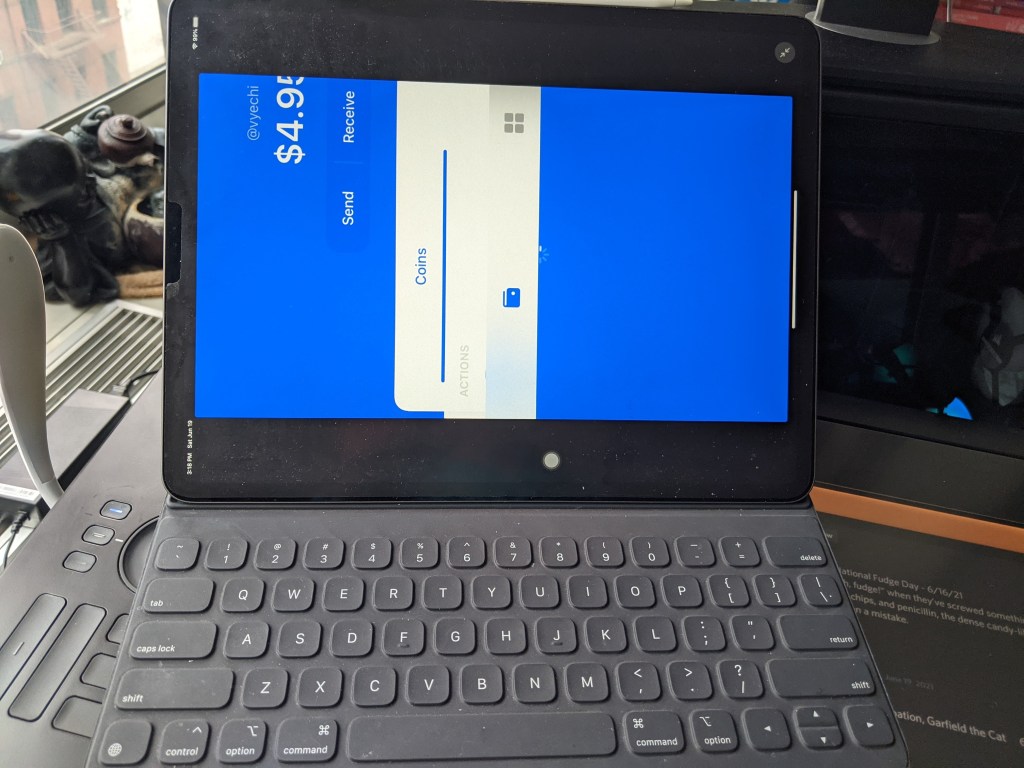
    Log-in into OpenSea will not work on the iPad. Specifically when trying to use the Coinbase wallet. People will start with the screen, which is forced in locked landscape mode but sideways. Users will notice that the screen is much smaller than it appears.
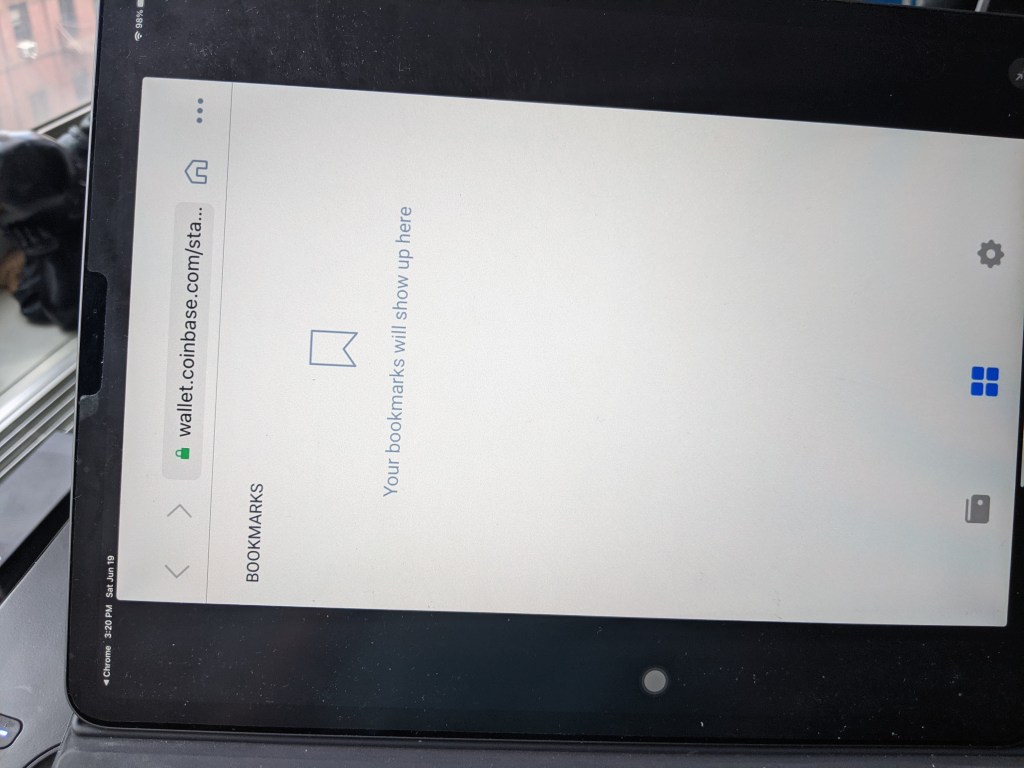
    Inside the Coinbase wallet app browser for the OpenSea
    Inside the Coinbase wallet app browser
    Redirect Coinbase Sideways OpenSea
    Redirect Coinbase Sideways
    Internal browser sideways OpenSea
    Internal browser sideways

    How do you log into Open Sea?

    On a positive note, users will have access to the in-app browser to log into OpenSea. Then, the user can pay the gas fee. Finally, release the NFT and put it up for sale.
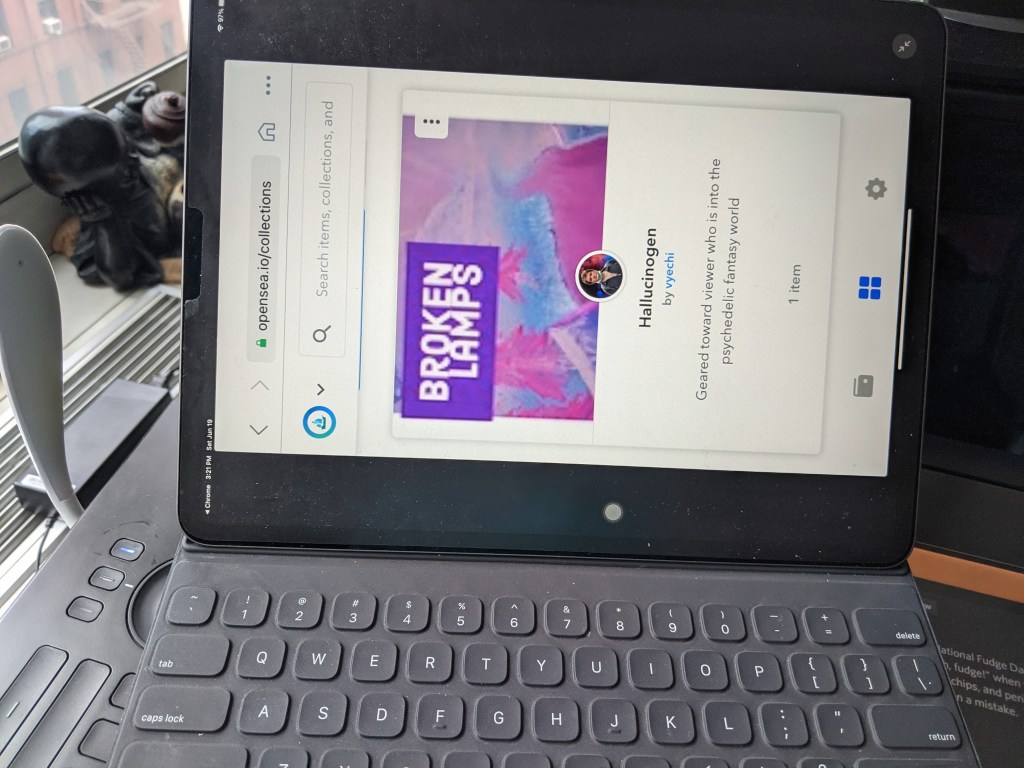
    my collection hallucinogen doodle 112
    my collection hallucinogen

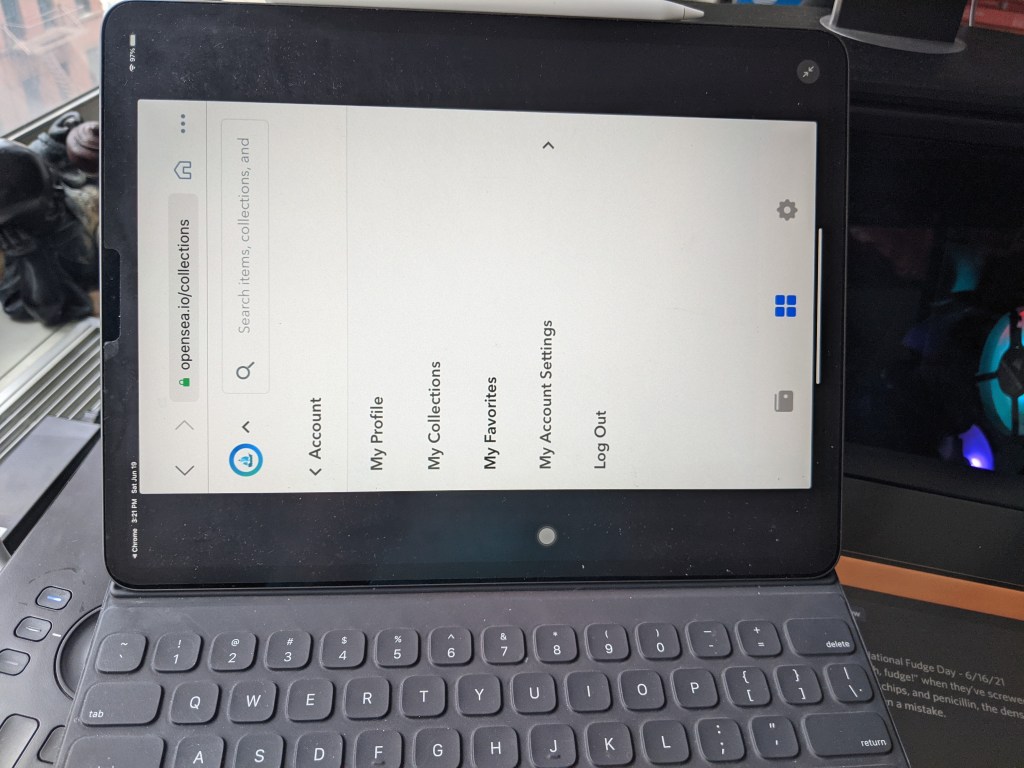
    Meanwhile, users need to dig through numerous menus to reach their collection. For example, click on the account, then look for collections. It would be more straightforward if they had a dashboard menu item that displayed all the NFT’s.

    The hamburger menu is commonly known to indicate more menu options. However, the website designer used a down arrow. It’s creative that they tried something different.
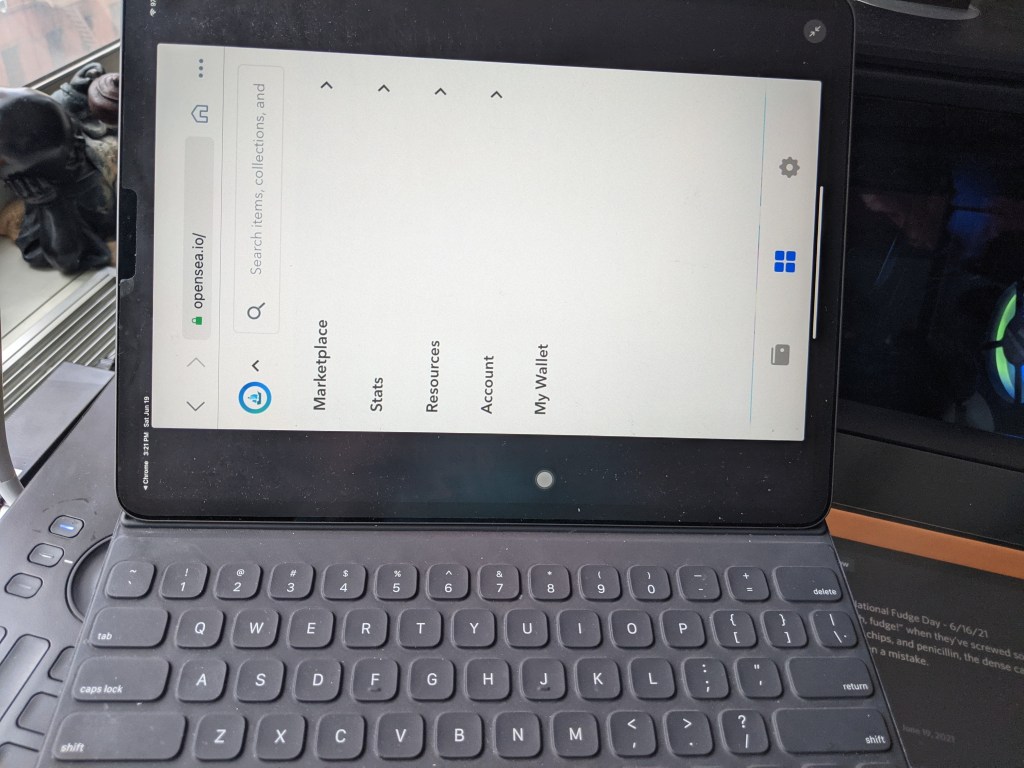
    on the iPad trying to locate my collection doodle 112
    on the iPad trying to locate my collection

    Navigating around the website

    While browsing through the site, many terminologies and terms might confuse the ordinary person who wants to sell. Why not add some videos explaining how to use the website, explaining the terms, and show some step-by-step tutorials.

    For example, what are gas fees and NFT’s? Why are they using complicated words like escrow?
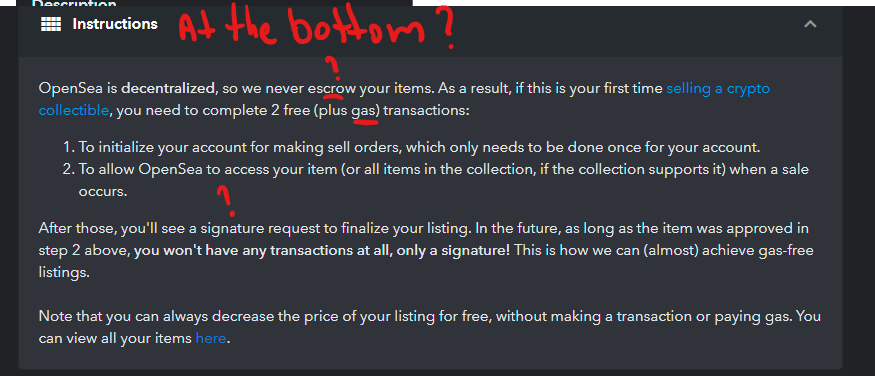
    why are the instructions on the bottom
    why are the instructions on the bottom

    What are properties, levels, and stats? OpenSea needs to provide examples of how to use these settings.
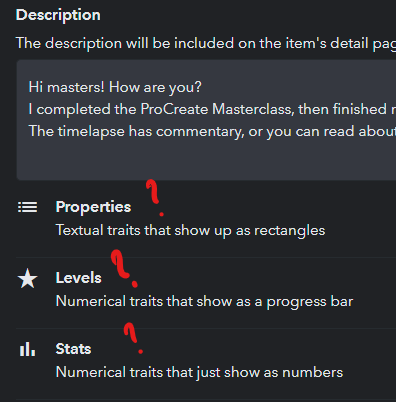
    Editing existing NFT shows properties with little explanation
    Editing existing NFT shows properties with little explanation

    Also, the signup process has way too many options with nothing recommended.

    so many ways to login what is best here
    so many ways to login what is best here

    When adding items to collection after paying fees, no explanation is given why the items are missing from the set.
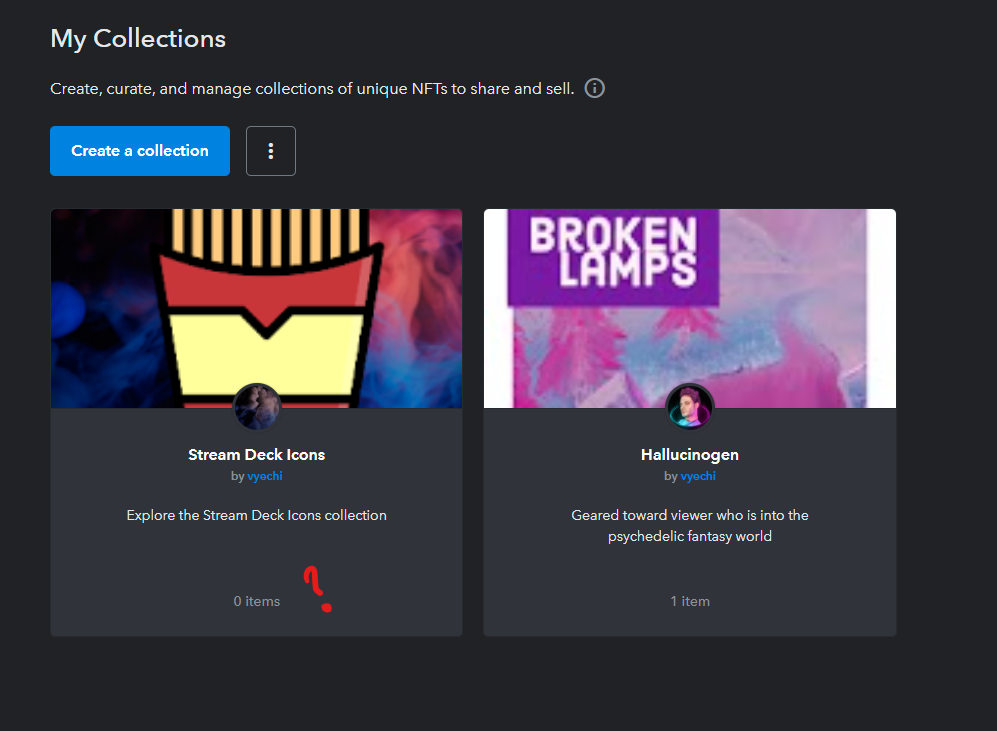
    items do not appear in the collection
    items do not appear in the collection

    It will be easier to default the currency to the location of the user.
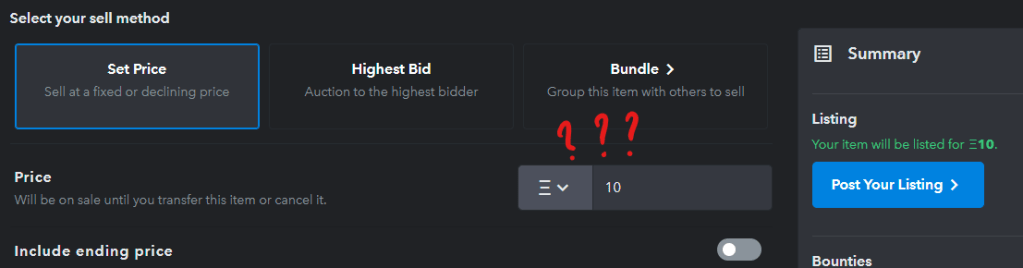
    why not default it to dollar or give a tutorial between each currency so the user wont be confused
    why not default it to dollar or give a tutorial between each currency so the user wont be confused

    Another fun fact, when users try to log in using the iPad and the OpenSea website, it is impossible to log in. To get into the system, the user must use the in-app browser in Coinbase.

    Final thoughts on OpenSea

    So in closing, as a word of warning that if you plan on using OpenSea on your tablet, you might struggle a bit logging in, having to type sideways, and understanding what is going on. It’s not a great experience and with many artists using tablet devices to create their works, you would think it would be ironed out more. As usual, tablet users are always considered last, and in the graphic design world, it’s kind of huge bummer.

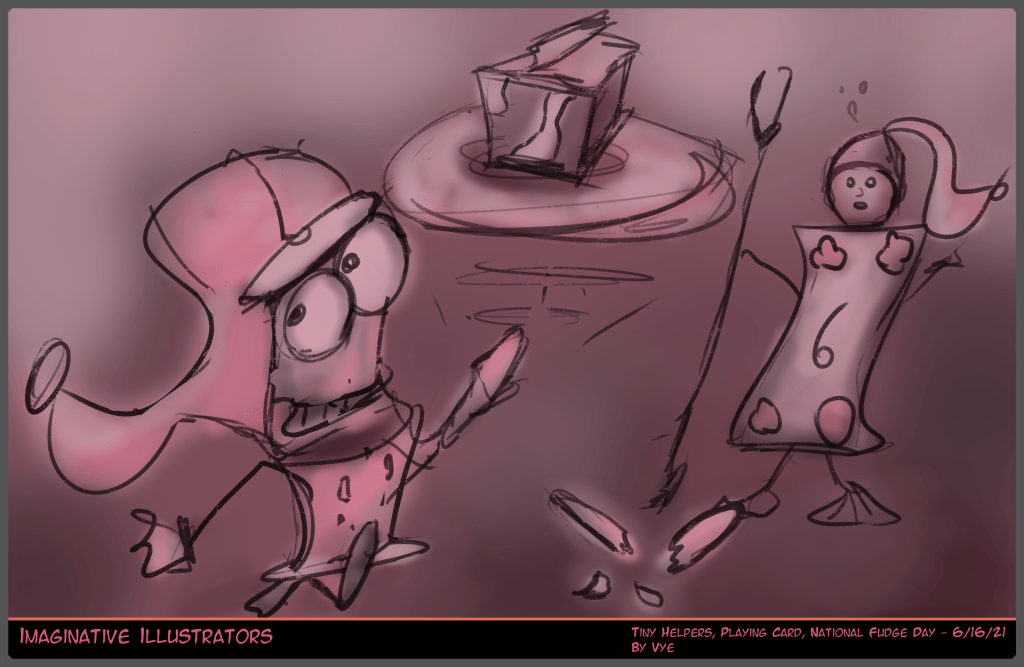
    Nevertheless, let us close out with the national love day art prompt for IINYC, a few related articles, and the NFT Broken Lamps.

    https://unpkg.com/embeddable-nfts/dist/nft-card.min.js
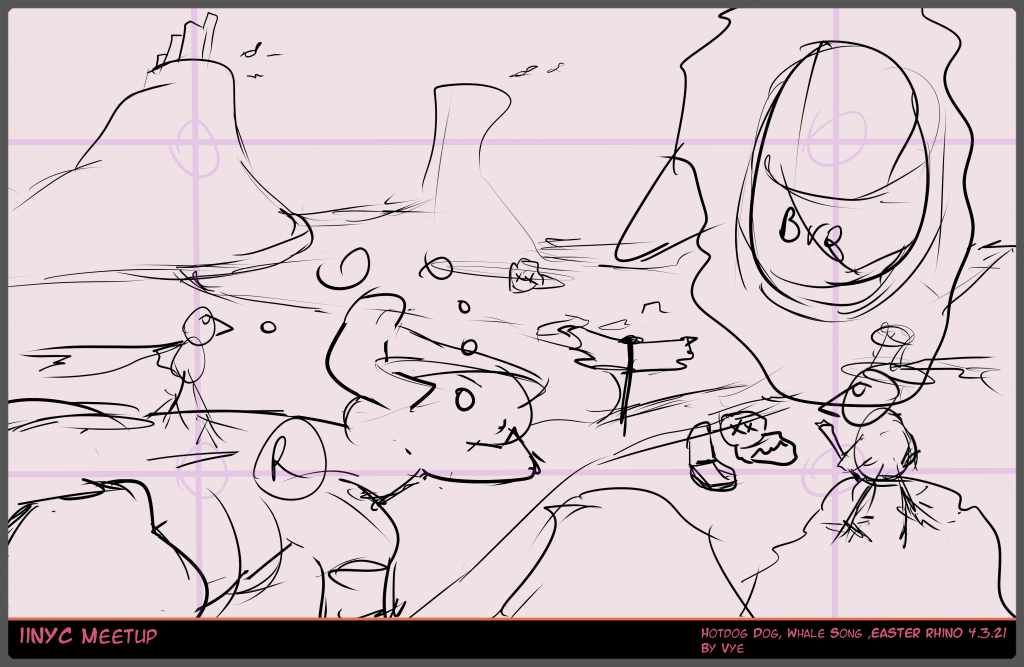
    IINYC Prompt fudge 6.16.21
    IINYC Prompt fudge 6.16.21

  • Doodle 111: 3 Ways to find your passion

    Doodle 111: 3 Ways to find your passion

    Hi, friends, for the doodle 111, Lately, I’m excited about my discovery of using a confident line technique. I call it rough to Confidence.

    • Creating concept
    • Layers are important
    • Go with the flow

    Before we go into our passions, let me give you a quick update on my life.

    (more…)
  • Doodle 110: Incentives, Generative Art, Facebook, Live-Stream

    Doodle 110: Incentives, Generative Art, Facebook, Live-Stream

    Hi, friends, let’s start at doodle 110. I will focus on Incentives, Generative Art, Facebook, and Live-Stream. Let’s get the ball rolling. 

    (more…)
  • Doodle 109: Subscriber Page, Patron, Artwork

    Doodle 109: Subscriber Page, Patron, Artwork

    Hi, friends,  Let’s start at doodle 109.

    Initially, I will focus on updating progress on Patron WordPress, redesigning the subscriber page, and IINYC Meetup. Then grab your favorite drink, and let’s dive in!

    (more…)
  • Doodle 108: Patreon, Generative Art, and Meetup

    Doodle 108: Patreon, Generative Art, and Meetup

    Welcome friends to doodle 108. 

    First off, I want to take this moment to say thank you for being part of our blog, given our hardships for the year. I hope you have a tremendous 2021—all the best for the holiday season.

    Let’s start at doodle 108. We will then focus on Setting up a Patreon WordPress, an Update on Generative Art, and Meetup Events. Grab your favorite holiday sweet, and let’s dive in!

    (more…)
  • Doodle 107: IINYC, Procreate Demo, DIVI

    Doodle 107: IINYC, Procreate Demo, DIVI

    Hi, friends, let’s start doodle 107. We will focus on IINYC prompts from last week, Sunday Procreate Demo, and Divi work. Grab your favorite drink, and let’s dive in!

    (more…)
  • Doodle 106: Divi BF, IINYC, live-streaming

    Doodle 106: Divi BF, IINYC, live-streaming

    [et_pb_section fb_built=”1″ _builder_version=”3.22″][et_pb_row _builder_version=”4.7.5″ _module_preset=”default” min_height=”2933.1px” custom_margin=”|auto|1px|auto||”][et_pb_column type=”4_4″ _builder_version=”4.7.5″ _module_preset=”default”][et_pb_text _builder_version=”4.7.5″ _module_preset=”default”]Hi, friends, welcome to doodle 106. I will talk about the Divi blog transformation, IINYC prompt-based meetup, and live streaming. So let’s get into it, friends.[/et_pb_text][et_pb_text _builder_version=”4.7.6″ _module_preset=”default” header_2_font_size=”30px”]

    Doodle Plan 106

    [/et_pb_text][et_pb_text _builder_version=”4.7.6″ _module_preset=”default”]

    Divi and Black Friday

    [/et_pb_text][et_pb_text _builder_version=”4.7.6″ _module_preset=”default”]Upon the end of Black Friday, I purchased Divi and finished work on the home page for doodle 106. I was a bit confused about why I couldn’t import my portfolio, so more on that later.

    However, I got used to the builder, and I love how fast and snappy it runs. It has a floating context-sensitive tool that can add new modules, sections, and rows.

    In a short while, I started working on the collaboration page and realized that I need to draw some images and find place holders.

    While building, I’m remaking the Dalston look and feel because I want to focus on my live-streaming.

    [/et_pb_text][et_pb_gallery gallery_ids=”223155,223156,223158″ posts_number=”3″ hover_icon=”%%24%%” _builder_version=”4.7.6″ _module_preset=”default” text_orientation=”center” animation_style=”fade” animation_duration=”1450ms” animation_delay=”250ms” border_radii_image=”on|3px|3px|3px|3px” border_width_all_image=”2px” box_shadow_style_image=”preset3″][/et_pb_gallery][et_pb_text _builder_version=”4.7.5″ _module_preset=”default”]

    Live stream for doodle 106

    [/et_pb_text][et_pb_text _builder_version=”4.7.6″ _module_preset=”default”]

    After the live-stream, I noticed that my music and voice weren’t working right for doodle 106.

    I set up a Voicemeter to duck or lower my music while I speak, but it wasn’t taking effect. Then, I did many tests and realized that the output did not affect the application.

    Meanwhile, VCam or cell phone camera over WiFi gave me trouble. The solution is to use my iPad’s front-facing camera until I find an alternative.

    For now, the XSplit team will work on the issue and release an updated app.

    [/et_pb_text][et_pb_video src=”https://www.youtube.com/watch?v=QjjXgF_VtSc” image_src=”//i.ytimg.com/vi/QjjXgF_VtSc/hqdefault.jpg” thumbnail_overlay_color=”#000000″ _builder_version=”4.7.6″ _module_preset=”default” min_height=”429.6px” custom_margin=”||39px|||” animation_style=”slide” animation_direction=”right” animation_duration=”1400ms” box_shadow_style=”preset4″][/et_pb_video][et_pb_text _builder_version=”4.7.6″ _module_preset=”default” min_height=”24px”]

    Imaginative Illustrators of NYC (IINYC)

    [/et_pb_text][et_pb_text _builder_version=”4.7.6″ _module_preset=”default”]

    Last Saturday, IINYC met to draw a few prompts, and I captured my experience on video for doodle 106.

    That day’s prompts were inflatable food, elf girl with a muscular heart, and bathtubs party.

    While streaming, I discovered that I could use my previous Stream on YouTube as an intermission screen during the live stream.

    The best part about that stream was the inflatable donut because it looked convincing, and it had a little pump to add air into it.

    I’m going to include a video right above and a screenshot of the donut. Let me know what you think?

    [/et_pb_text][et_pb_image src=”https://atomic-temporary-126178348.wpcomstaging.com/wp-content/uploads/2020/12/iinyc-1222020-mutt-inlfatable-food-body-building-christmas-elf.png” alt=”doodle 106 IINYC 12.2.2020 mutt inflatable food body building Christmas elf” title_text=”Imaginative Illustrators of NYC” show_in_lightbox=”on” _builder_version=”4.7.6″ _module_preset=”default” animation_style=”fade” animation_delay=”400ms”][/et_pb_image][et_pb_text _builder_version=”4.7.6″ _module_preset=”default”]

    Wrapping Up Doodle 106

    [/et_pb_text][et_pb_text _builder_version=”4.7.6″ _module_preset=”default”]

    Guys, I added a new plugin that allows us to draw or doodle on my art for doodle 106.

    I will let you know in the caption when you have a drawing opportunity. You may save it and share it out on Twitter and tag @Artist.Vye so that I can give you a shoutout.

    Finally, I’m sharing a few related articles that might interest you.

    [/et_pb_text][et_pb_text _builder_version=”4.7.5″ _module_preset=”default”]

    What do you think of my inflatable food donut?

    [/et_pb_text][et_pb_image src=”https://vyechi.com/wp-content/uploads/2022/10/6b587-iinyc-12520-inlfatable-food-body-building-christmas-elf-bathtube-party.png” alt=”Doodle 106 IINYC 12.5.20 inflatable food body building Christmas elf bathtub party” title_text=”Imaginative Illustrators of NYC” _builder_version=”4.7.6″ _module_preset=”default”][/et_pb_image][et_pb_text _builder_version=”4.7.6″ _module_preset=”default”]

    [/et_pb_text][/et_pb_column][/et_pb_row][/et_pb_section]

  • Doodle 105: Divi Black Friday, Dust Mites, Work Station

    Doodle 105: Divi Black Friday, Dust Mites, Work Station

    Hi, friends, welcome to doodle 105. The Divi Black Friday sale is wrapping up. Meanwhile, white dust mites wracked havoc on my work station. In short, my work area is in chaos for a few days. So let’s get into it, friends. 

    (more…)
  • Doodle 104: Graphics Card, Computer, and Live-Streaming

    Doodle 104: Graphics Card, Computer, and Live-Streaming

    Hi, friends, welcome to doodle 104. I will cover my EVGA 580 Classified graphics card, the old beast of a computer, and live-streaming. Then, in the end, I’m sharing the new 2020 iMac giveaway.

    (more…)
  • Doodle 103: IINYC, Two Tips on Blog Writing, and Computer

    Doodle 103: IINYC, Two Tips on Blog Writing, and Computer

    Hi, friends, welcome to doodle 103. I will cover IINYC prompts, blog writing, and picking up an old beast of a computer. Then, in the end, I’m sharing the new 2020 iMac giveaway.

    (more…)
  • Doodle 102: New Features, IINYC, Tracing live-stream

    Doodle 102: New Features, IINYC, Tracing live-stream

    Hi, friends, welcome to the doodle 102. On Tuesday night, I worked on adding a few features to my live-stream for doodle 102. For example, I made a short 6-second bunny intro video, and I wanted to add that as a transition when each screen loads. However, the video only comes up once in OBS, and then afterward, it stops working. Also, I added me camera option, where I show a broad capture of myself where I speak to the audience. At first, it wasn’t working right, but then I fixed by making sure I was using the same camera. As a result, it’s a bit frustrating, but I will not give up. Overall, I’m adding a few features to my live-stream and hope to solve the issues for doodle 102. 

    (more…)
  • Doodle 101: Live-streaming, multi-stream, and Art Education

    Doodle 101: Live-streaming, multi-stream, and Art Education

    Hi, friends, the other day, I worked on our live-streaming platform for doodle 101. During that time, I built a small PowerShell script to replace the text within a file. OBS has a widget that allows me to select a text file and present the contents on the screen. In effect, the script will increase engagement with the audience by providing them with some nid bits about me. Then, I plan to give the code away on Gumroad or Patreon, or my blog for a small optional donation. In short, I’m glad that the code is working on our live-streaming platform for doodle 101.

    (more…)