“Autumn arrives in early morning, but spring at the close of a winter day.”
~Elizabeth Bowen
Guide you with creating the subject being described
Connect you with people
I’ve been using brainy quotes from time to time for inspiration and fun. I just like its simplicity and that I can always find a good quote to share. The quotes come along with a link back to its source, giving credit to the author. However, I try to limit my quotes to one, for SEO purposes.
As you can tell, I was thinking about autumn and spring closing, so I shared this little piece of poetry.
You can:
“share collection of inspirational and famous quotes by authors you know and love. Share our Quotes of the Day on the web, Facebook, Twitter, and blogs.”
You will find Quote of the day, inspirational, life, love and funny quotes.
Inspirational and Famous Quotes at BrainyQuote Read more
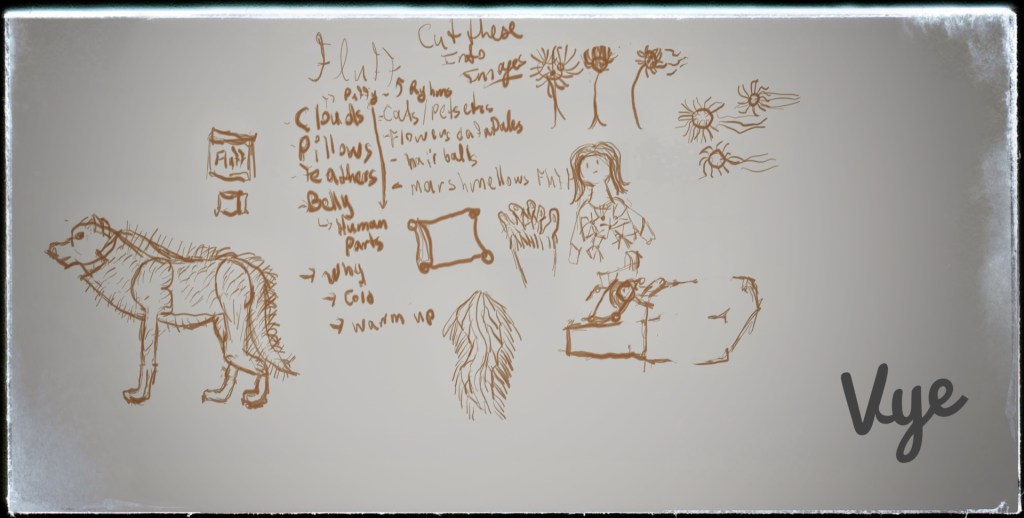
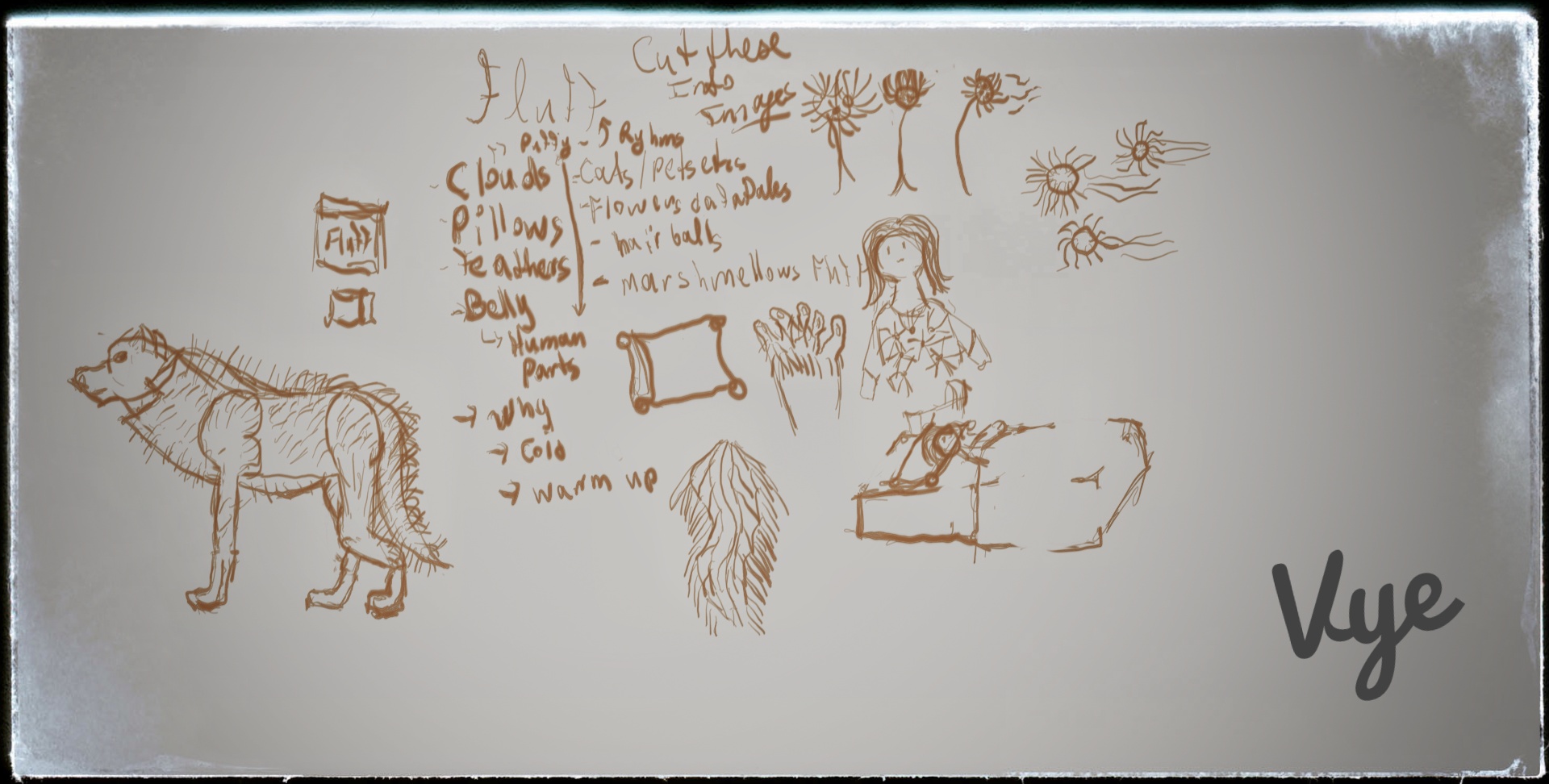
It started with an email; an email led to an idea. On my way to the train station, I was thinking about what is fluffy. Before I committed, I made a quick list of everything that my brain can think of and started drawing sketches in my sketchbook app. If your curious what this app is and where to get it, head over to the sketchbook website over here. Another thing to note, I had tried to limit my creative time to my train ride because I was on my way to work. Therefore, I had to forgo reference and quickly, sketch out a hairy belly or foot. Then I thought, I hope nobody is looking at what I’m drawing, but whatever, at least I’m bringing. However, that gave me an idea, and I decided to pull something from before, that wasn’t as soft and fluffy.
Fluffy Prompt
Later, that day, I knew I had to publish this before lunch. Releasing before my meal is important because people are relaxing and are on their phones browsing the internet of things. Therefore, is my best chance, I opened up Photoshop and Google Snapseed to finish off processing the images. Eager to hit the publish button, I quickly wrote up the post and put together the SEO. I used a similar technique when I show you How to Show Flow & Promote Scene Passion?
Here is the list I came up with
Clouds
Pillows
Feathers
Belly
Human Parts like belly, foot
Warm up in bed in the morning
Pets
Cats
Wolf Dogs
Flowers
Daffodils
hairball
Marsh Mellows (I think I saw some product online)
Then, I created these drawings.
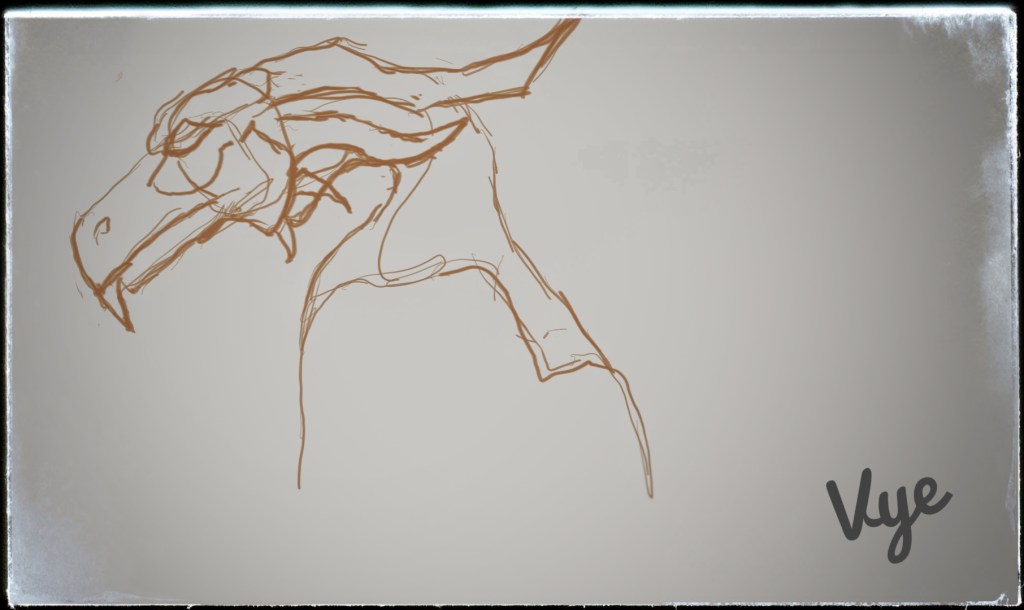
Not everything is as soft and puffy, so I draw a quick dragon head. Learn how to draw a dragon in 6 steps here. You can also buy the DragonArt.
Feel free to post your creations in the comments below. If you like what you see, please like, reblog and follow for more inspiration! If you would like to know about me, please head over to my about page. Today prompt is Fluff!
I wanted to create a tagline that reflects me, my personality, and blog’s subject. I want to create inspiring art for others to plunder! Rabbits can take on many personalities, so I thought it would be fitting. The origin of my new tagline was created by listing adjectives that describe me.
quick
energetic
enthusiastic
strong willed
honest
friendly
gentle (usually)
sensitive
intelligent
leader (aspiring)
I recommend these books to focus…
Steal like an artist
Immature poets imitate; mature poets steal; bad poets deface what they take, and good poets make it into something better, or at least something different. – T.S. Eliot
I like how the author uses this this quote in the book because it encourages learning from inspiring artists. You can check this book out here.
The Subtle Art of Not Giving A F*ck
The key to a good life is not giving a fuck about more; it’s giving a fuck about less, giving a fuck about only what is true and immediate and important. – Mark Manson
Interestingly, this is exactly the reason why I want to come up with a tile and tagline, otherwise my original – vykantor, artist | thrill seeker seems to general, what do you think? You can check out that book here.
Today’s featured image is a dragon
Consists of a fire-breathing, four-limbed, winged beast.
– J “NeonDragon” Peffer.
The author does a good job inspiring you to draw, yet challenging enough to make it fun. Read more here.
Having all these good things isn’t always easy and that is why I decided to also include my weakness. You can read more about me here.
oblivious
easily gets upset over critique, when something is not well understood
gets discouraged to make decisions when something is new
don’t always think before I speak
Other Thoughts…
Do you think that it is better to be friends with like minded people or accept there differences and feel somewhat uncomfortable? Of course it depends on your situation… It could be that you just don’t get along and it might be best to move on to another group. If you can relate let, me know in the comments below. What did you try to do that helped?
Feel free to post your creations in the comments below. If you like what you see, please like and follow the blog for more inspiration!
Hi, my name is Vyacheslav Kantor, I’m an artist, thrill seeker and key puncher. Feel free to read more about me here.
Why am I blogging? \(*^▽^*)/
I want to write mostly about my artwork and how it can affect others. I think it’s a great way to get noticed and connect with other artists. I’m curious to know what artist blog about? Please let me know in the comments below? You might ask why art? Well, art is all around us, so it could be in our best interest to use it to our advantage. As it could be used to create a positive or negative affect on anything. As an experiment, I decided to create a puzzle for you to solve, but at the same time, I can give you art. I can’t wait to dive deeply into this field and see what I can come up with next!
If everything goes smoothly for this year, I plan to further promote using my art.
Thank you for reading this far! (ᅌᴗᅌ* )
If you interested in how I draw the featured dragon in this post and the coloring, please check out Drawing Fantasy Creatures on Amazon. A secret though, I didn’t use a regular pencil.
To get more updates from me, feel free to follow my blog or subscribe to my mailing list or social channels. I won’t spam you, I promise! Shout out to artists to connect!
Feel free to read about it below or at home base here.
“Creative freedom in a powerful mobile studio”
“Wacom MobileStudio Pro 13 packs an entire studio full of powerful creative tools into a slim, lightweight package – including the incredibly accurate Wacom Pro Pen 2. From 2D to 3D, you’ll have what you need to create at your best, at your studio desk to anywhere you please. Live.Dare.Create.”
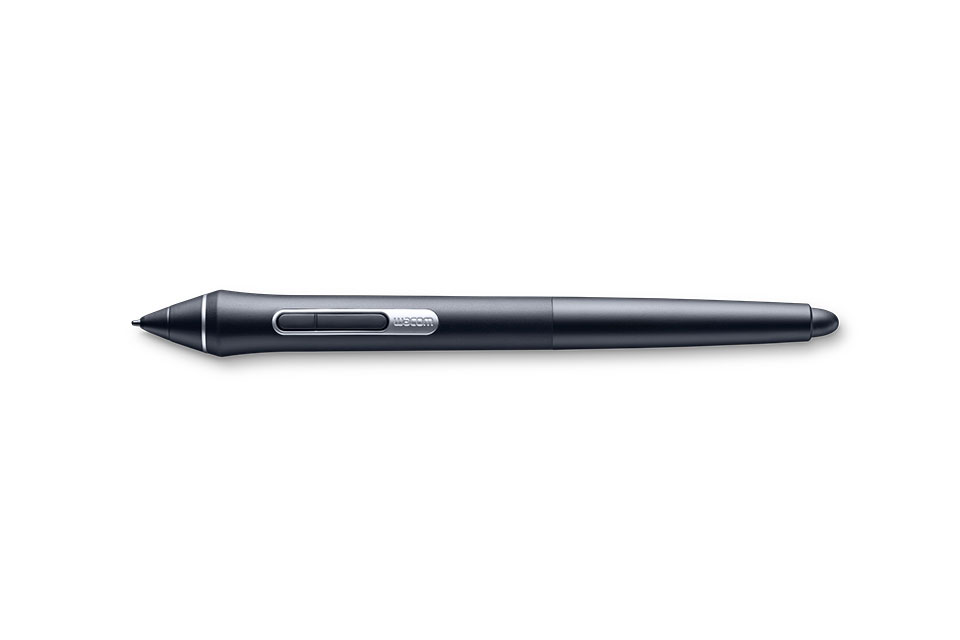
Wacom pen
“3D ready”
“With powerful Intel® chips, memory and storage configurations, Wacom MobileStudio Pro 13 has the computing power and graphics options to run demanding creative 2D, 3D and CAD software. And if you want to capture real world objects to speed up your design or 3D sculpting workflow, select models of Wacom MobileStudio Pro 13 include an Intel® RealSenseTM 3D camera and Artec Studio 11 Ultimate scanning software*.
*Artec Studio 11 Ultimate software includes 12 month license.
Go ahead an enter its free and you might be one step closer to your creative freedom. ”
“You won’t believe your eyes… or your fingers”
“Create every brush stroke or spline with total precision. With a resolution of 2560×1440 and color accuracy of 96% of Adobe® RGB, Wacom MobileStudio Pro 13’s screen is dazzling. Not only will your work look amazing, it will feel amazing too. The new etched glass surface makes it feel like you’re working with pen and paper by providing the perfect amount of resistance to the Pro Pen 2’s tip. Plus, multi-touch gestures make zooming and rotating your creations as simple as pinching and swiping on your smartphone.”
“Enjoy even more control and enhance your 3D workflow with tailored creative software”
“Wacom MobileStudio Pro pairs perfectly with Corel™ Painter® 2017, Paintshop® Pro X9 and Mosketch™. Enjoy amazing pen precision, control and 3D sketching on the go.”
Note: This pen tablet computer does not come with a stand or keyboard.
See how masterfully I drive the Lowe while listing to SoundCloud: here
I created a playlist of songs through Figure App iPhone and SoundCloud. The figure is DJ tool, tap, slide and makes rhythm. SoundCloud is an audio platform that enables sound creators to upload, record, promote and share their originally-created sounds. The whole app features touch drum, bass, and lead. This enables quick mixing with pause, record and stops sequences.
World of Tanks
“World of Tanks is a team-based massively multiplayer online action game dedicated to armored warfare in the middle of the 20th century. Throw yourself into epic tank battles with other steel cowboys all over the world. Your arsenal includes more than 200 armored vehicles from America, the United Kingdom, Germany, France, the Soviet Union and China.”
Free to play award-winning online game World of Tanks — MMO-action about World War II tanks. Official site: support, forum, FAQ, download the game.
Using Visual Studio with Multithreading tips, tricks, C#
Programmers who start coding with multithreading and C#, get different first impressions.
First, they are either afraid of new frameworks and patterns, then try their own methods. Secondly, they are brave, ready to jump on Visual Studio, C# and start learning multithreading. I had to be brave, I didn’t have the luxury to wait, so I jumped right in to face the problems and adventures head on.
Don’t go out there learning everything about Multithreading right away, your head might hurt, start slow and as you get stuck, look things up and you’ll learn faster. My first experience with threads came at a shock, my variables started changing on their own. I was like why is this happening!? Later I discovered that using static keyword is a good and bad thing when using threads. One, static is great if you need to share something among the threads, but just don’t forget that you’re sharing. Two, Static methods in particular aren’t thread safe. To ensure thread safety, you should consider Locking, only allow one thread at a time. Shared variables can keep you up at night because its hard to catch which thread is changing its value and can cause your application to produce the wrong result. Moreover, when writing a multithreaded application, watch out for Race Conditions, they occur when two or more threads try to change a variable, whoever gets their first will change it. Please, for your sake, just use locking, to prevent a variable from wrongly changing, until you find a clever way to prevent leaks.
Okay, so what if a variable changes? How will it affect me? Well, I had a situation, that goes something like this: say for example, I have box A and box B, both of which need to be saved to the database, and box A will get a SSN# and box B will have a date. Now imagine I have a loop that runs for a long time and does some logic and manipulation before it gets to box A and B. box A and B are both static, we are using Multithreading technique within the TPL, we start changing A and B boxes, meanwhile other thread caught up and changed A to the new SSN#, so now we have both threads with the same SSN# being saved to the database. Now if we added a lock inside the method to wait, till both box A and B finished saving, we would have prevented the above scenario.
Development
Fine this is great, why hasn’t anyone figured out a better way, than using primitive locking. Well, you’re in luck, if your swing over to the MSDN System.Collections.Concurrent, they have some great data structures that take care of the locking for you and speed up development. I strongly recommend spending some time with Concurrent Queues. I started with them first.
using System;
using System.Collections.Concurrent;
using System.Threading;
using System.Threading.Tasks;

class CQ_EnqueueDequeuePeek
{
   // Demonstrates:
   // ConcurrentQueue.Enqueue()
   // ConcurrentQueue.TryPeek()
   // ConcurrentQueue.TryDequeue()
   static void Main ()
   {
      // Construct a ConcurrentQueue.
      ConcurrentQueue cq = new ConcurrentQueue();

      // Populate the queue.
      for (int i = 0; i < 10000; i++) cq.Enqueue(i);

      // Peek at the first element.
      int result;
      if (!cq.TryPeek(out result))
      {
         Console.WriteLine("CQ: TryPeek failed when it should have succeeded");
      }
      else if (result != 0)
      {
         Console.WriteLine("CQ: Expected TryPeek result of 0, got {0}", result);
      }

      int outerSum = 0;
      // An action to consume the ConcurrentQueue.
      Action action = () =>
      {
         int localSum = 0;
         int localValue;
         while (cq.TryDequeue(out localValue)) localSum += localValue;
         Interlocked.Add(ref outerSum, localSum);
      };

      // Start 4 concurrent consuming actions.
      Parallel.Invoke(action, action, action, action);

      Console.WriteLine("outerSum = {0}, should be 49995000", outerSum);
   }
}
Data Annotations extensions are for model validation, both on client and server-side.
Well, these are great if you’re looking for something simple and fast. Don’t use them if you’re working on a project with many fields and dependencies. If you’re doing complex validation, I would highly recommend writing custom validation. If you’re familiar with NuGet, please search for it using Visual Studio Nuget package manager. Then install it inside your solution using Visual Studio. I wasn’t going to show any complex examples because the author has the examples on the website.
Data Annotations Extensions
CreditCardAttribute
CuitAttribute
DateAttribute
DigitsAttribute
EmailAttribute
EqualToAttribute
FileExtensionsAttribute
IntegerAttribute
MaxAttribute
MinAttribute
NumericAttribute
UrlAttribute
YearAttribute
Here is how you would use a data annotation extension attribute on your model.
[Email]
public string UserEmail {get; set;}
After your model is hooked up to an attribute, you can then use your controller and views as normal. Just make sure you include your jQuery Validate library on your views. Then enable unobtrusive validation on your web config inside your solution project folder. It might be already enabled if you’re using a built-in template to start your project. Once you fire up your website and browse to the page that has the
“UserEmail” field, try typing in some sort of email. The new data annotation extensions on the field will try to validate the input. It works exactly the way it would with the default attributes. If the value passes validation then no error will be shown. Otherwise, if the value is wrong, then an error will be display and user will not be able to submit the form.
That’s pretty much it, good luck on using data annotations extensions within your MVC projects using Visual Studio and C#.
Start broadcasting your games and show the public what you can do on the battlefield! I downloaded Open Broadcaster Software, its free, so it was my first choice. However, using the software free and not straightforward to learn. Therefore, be ready a few tutorials and then start streaming.
Setup to be a Broadcaster
The stream is unique to the setting of your game, so don’t go maxing out all your settings and expect to get 1080p video. According to my sources, you should keep the kbps to 80% of your total upload bandwidth. However, mind you that Twitch and YouTube cap your top at 3000-6000 kbps. One not so obvious thing to most is that each game eats up your GPU and CPU resources. Don’t expect to get a lag-free stream if you plan on playing on maximum game graphic settings. For example, I recorded when creating my phoenix drawing. I would recommend setting your resolution to at least 1080 width and whatever height.
Streaming Networks
Then all you’re in-game graphics to medium or low. Just experiment and see how the stream does. Also, OBS has a status bar on the bottom that shows you your stream frame rate and your transfer rate. Plus, watch those and adjust your settings accordingly to get the best stream result. I started streaming with Twitch because they have a huge gaming community and decent video editing tools. Then I moved to YouTube, and I was pleased to find that it had similar if not better setup. I did have a lot of trouble keeping my games from lagging or my stream from losing frames on both platforms. I’ve looked around, and most of my findings were just about network problems.
In-game graphics to medium
Moving away from the network, I started to think its something on my end. I tweaked my resolution and upload speed, but I wasn’t able to get the result I wanted. I ended up reducing my in-game graphics to medium, and to my surprise, I was able to maintain good FPS and continue gaming with no problem. It turns out that my graphics card was not able to stream and render my game with my high setting. If you want to maintain a high-quality stream, then I would recommend getting a video capture card for that.
Final Thoughts
Thank you for joining me for how to use open broadcaster software. I hope it was useful and informative. If it was helpful, please let me know what it was and if something didn’t make sense, let me know in the comments below. That’s pretty much it. Good luck on your adventure!
I’ve recently started getting into the stock market. It’s a huge area, especially for a beginner, I didn’t know where to start and ask for help. I found TD Ameritrade and it wasn’t till a few months later, when I noticed that they had a section filled with webcasts. I watched a webcast from the thinkorswim community and to my surprise I found the information interesting and informative. I had the chance to learn about options trading and hedging risk. The web series was titled “Your Trade, Your Strategy: Learn to Market Strategies from the Basics to the Extreme” (Will share link as soon as author shares webcast) I went over to Investopedia and got the following definition:
A financial derivative that represents a contract sold by one party (option writer) to another party (option holder). The contract offers the buyer the right, but not the obligation, to buy (call) or sell (put) a security or other financial asset at an agreed-upon price (the strike price) during a certain period of time or on a specific date (exercise date).
Call options give the option to buy at certain price, so the buyer would want the stock to go up.
Put options give the option to sell at a certain price, so the buyer would want the stock to go down.
The speaker for “Your Trade, Your Strategy: Learn to Market Strategies from the Basics to the Extreme” was Don Kaufman. He told us that to be good at options trading, one should not think up outcomes, but look at the probability of outcomes. We looked at different strike amounts and tried to choose price points that had a reasonable chance of making a profit. We were shown how to hedge our options by choosing two different strike options that could either lose or gain money. Don told us not to worry about the calls and puts on either side of the strike because they are similar. One of the panelist shared an interesting quote that helped me understand and remember the difference between calls and puts. “There is a saying used with picture of a telephone receiver, “call up [phone receiver to make a phone call], then put down [to end the phone call]”. – Shared by Cindy Faber. To me, this mean that the calls are the bulls and the bears are the puts. However, mind you, that just because one side is a bull and other side is a bear, that doesn’t mean that it’s a sure way to make money. You must look at market trends and read the news. From my own experience, the market does what it wants, it will not behave the way you want it. TD Ameritrade Webcasts: Think of Swim – The Archive As always good luck on your adventure with options trading!
I was looking around for a way to reset form Unobtrusive jQuery validation. In other words, I want to reset everything to default. Unobtrusive validation closely relates to data annotations because they hold the validation rules. For example, you can set up min or max length a text box field. More importantly, how to clear unobtrusive jQuery validation, we learn that it doesn’t have any way to reset the UI after errors occur. However, you can safely use:
var validator = $("#myform").validate();
validator.resetForm();
Reset Form Unobtrusive jQuery validation Feature
The best example I found online was on John Culviner blog. It wasn’t exactly what I was looking for, but it was a good start. He resets the form by using a button and attributes, I need a function that does that, so I create a plugin that clears the fields on demand.
Clear Reset Form Unobtrusive jQuery validation
The clear reset form unobtrusive jQuery validation plugin itself is quite simple. It’s wrapped inside an IIFE function or Immediately Invoked Function Expression. To use it, start with writing it in the following shorthand way.
(function(){// logic here})();
Inside the IIFE, I created a function called “clearForm” that takes options. Looking closely at the $.extend method, I tell it to find a form on the page and use that as it’s Id. Please let me know if I’m doing double work here because I’m also setting the form ID from options (you will see in the complete example).
Finally, if you’re using MVC, you will want to reset all the error fields and finish by returning the form.
//reset unobtrusive field level, if it exists
$form.find("[data-valmsg-replace]")
.removeClass("field-validation-error")
.addClass("field-validation-valid")
.empty();
return $form;
Final Thoughts
For your convenience, I’ve put together the JavaScript. To use it, you will need to call $(“#signupform”).clearForm(); I hope this script makes your life a tad bit easier while working to Reset Form Unobtrusive jQuery validation.
(function($) {
$.fn.clearForm = function(options) {
// This is the easiest way to have default options.
var settings = $.extend({
// These are the defaults.
formId: this.closest('form')
}, options);
var $form = $(settings.formId);
//reset jQuery Validate's internals
$form.validate().resetForm();
//reset unobtrusive validation summary, if it exists
 $form.find("[data-valmsg-summary=true]")
    .removeClass("validation-summary-errors")
    .addClass("validation-summary-valid")
    .find("ul").empty();
//reset unobtrusive field level, if it exists
$form.find("[data-valmsg-replace]")
    .removeClass("field-validation-error")
    .addClass("field-validation-valid")
    .empty();

return $form;
};
}(jQuery));
If you want to share your judgment on how to Reset Form Unobtrusive jQuery validation:
Leave a comment over the “What’s Crackin’ \ (•◡•) /” section below.
Interesting snippet from C#, ASP.NET and MVC, that uses the ValidationAttribute
Ever wanted to add validation to your MVC view, well look further for more details.
The ValidationAttribute will help you validate your model and server-side properties. As a programmer, you will need to add certain rules or attributes to the properties, such as required, string length, range and change the display property name. The example has a special attribute that limits the amount of words the user can type into a field.
You are required to inherit from ValidationAttribute, in order to use the error message and IsValid method of the attribute. Once you have those, you can set in the constructor, the message and max value. Then override the IsValid method and check the property for the amount of words. I used split and length methods to check against the max words.
If all is fine, return success, otherwise give the user the error message you set in the constructor.
The programmer will need a lot of flexibility in validating their model and view, this snippet can help you avoid writing a lot of extra client side code.